
Search for channels in Majd-09 receiver
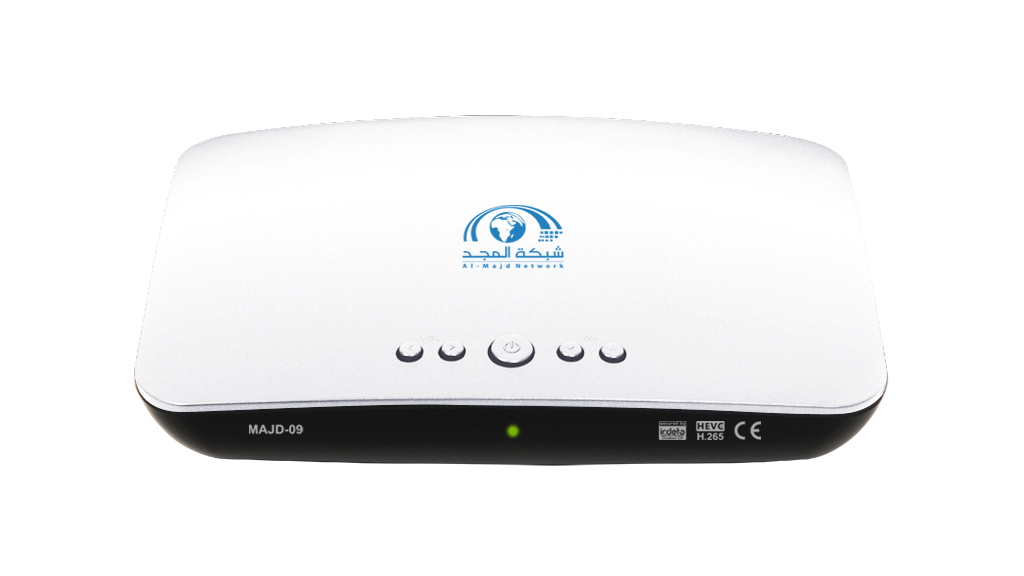
If you have lost Al Majd signal and the receiver is showing message number 48 or 52 then follow below steps to enjoy Al Majd services
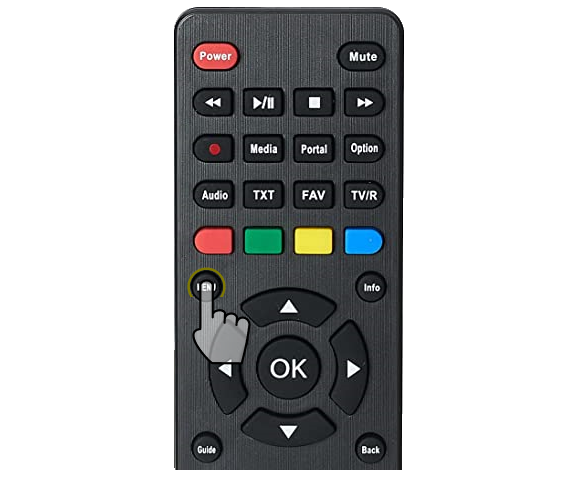
1- Access Majd-09 Receiver Settings
• Press menu on the receiver’s remote control.

2- Access ‘Antenna Setting’
Use left/right arrows to access ‘Installation’ menu, then down arrow to access ‘Antenna Settings’ screen, then press OK button.

3- Delete Channels
• If confirmation screen appeared, use arrows to select “Yes,” then press OK button.

4- Enter Password
• When ‘Input Password’ screen appears, press press 0 (Zero) button four times.

5- Select DiSEqC Port For ALMAJD Antenna
• Use arrows to reach ALMAJD and press OK, then up/down arrows to DiSEqC port.
• Use right/left arrows to select DiSEqC Port connected to ALMAJD antenna (Dish).
• If you can’t access the roof and don’t know the DiSEqC connections, select port 1 for now. We may try ports 2, 3, and 4 later if needed.
• Press OK to save.
• Use right/left arrows to select DiSEqC Port connected to ALMAJD antenna (Dish).
• If you can’t access the roof and don’t know the DiSEqC connections, select port 1 for now. We may try ports 2, 3, and 4 later if needed.
• Press OK to save.

6- Select DiSEqC Port for ARABSAT Antenna
• Use up/down arrows to reach Arabsat and press OK, then up/down arrows to reach DiSEqC port.
• Use right/left arrows to select the DiSEqC port previously selected on ALMAJD.
• Press OK to save, then back to return to ‘Installation’ screen.
• Use right/left arrows to select the DiSEqC port previously selected on ALMAJD.
• Press OK to save, then back to return to ‘Installation’ screen.
Note: From Manual Scanning screen, you can check signal quality and start searching for channels.

7- Access ‘Manual Scanning’ Screen
• From installation screen, use up/down arrows to access ‘Manual Scanning’ and then press OK. Enter the password (four zeros) and then press OK button.

8- Checking ALMAJD Signal
• Make sure ALMAJD antenna is selected, then check the signal strength (S) and signal quality (Q) in the last lines.
• If signal strength is less than 10%, press back and move to “Antenna Setting” to select another DiSEqC port in Step 5 above.
• If signal strength is less than 10%, press back and move to “Antenna Setting” to select another DiSEqC port in Step 5 above.

9- Start Scanning for ALMAJD Signal
• If signal quality (Q) is higher than 82%, press OK to start the search.

10- Search Result – Message 241
• If ALMAJD signal cannot be received, message number 241 will appear.
• Press back , then go to “Antenna Setting” and select another DiSEqC port in Step 5.
• Press back , then go to “Antenna Setting” and select another DiSEqC port in Step 5.

11- Search Result – Message 243
• Message 243 will appear for a few seconds when the search for ALMAJD was successful.
• Click menu to enjoy watching Al Majd channels
• Click menu to enjoy watching Al Majd channels
If you tried the four DiSEqC ports and signal strength in Manual Scanning screen remains below 10%, this means the cable is disconnected. Check the cabling and connections before trying again.
If message 241 appears after each test of the four DiSEqC ports, call a technician to check the DiSEqC and LNB and align Arabsat antenna (dish).
For more information, you can contact us via WhatsApp
At the number: +966112257777
And via email: care@almajdtv.com